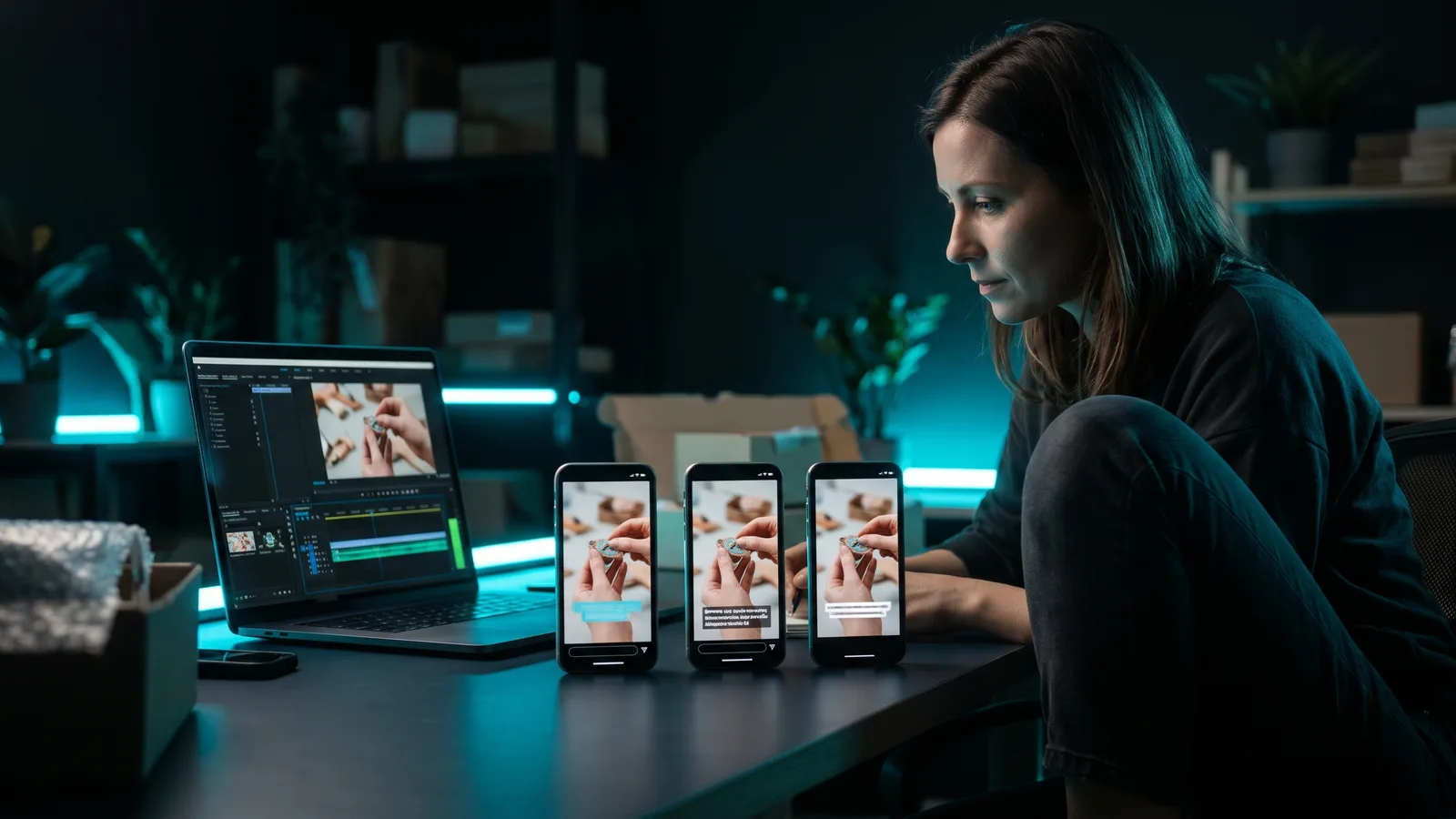
To grow a TikTok account from zero, switch to a free Business Account, pick one narrow niche, and post original vertical videos with a strong hook on a schedule you can keep. Reply to comments and check TikTok's free analytics. TikTok says follower count isn't a direct ranking factor, so your first video can reach new people.
Key takeaways
- Zero followers is not a dead end. TikTok says follower count and past hits are not direct factors in what the For You feed recommends.
- For a business, a free Business Account is the right start. TikTok's 2022 small-business blog says it adds analytics, a website link and scheduling, and TikTok's Commercial Music Library gives brands commercial-safe music.
- Post regularly. A third-party Buffer study of 11.4 million posts (October 2025) found the biggest jump in average views per post came from going from 1 to 2–5 posts a week.
- Never buy followers or repost other people's videos. TikTok bans fake engagement and keeps unoriginal reposts out of the For You feed.
- Expect slow, uneven growth. Most posts get modest views, and growth comes from many attempts plus the occasional breakout.
Can a brand-new TikTok account with 0 followers get views?
Yes. TikTok says follower count, and whether an account has had hit videos before, are not direct factors in its recommendations (TikTok Newsroom, 2020).
Instead, the For You feed ranks videos by how people interact with them (likes, shares, comments, follows) and by video information (captions, sounds, hashtags).
One strong signal is a viewer watching a longer video all the way to the end (TikTok Newsroom, November 2023). So a new account wins the same way an old one does: by making videos people finish.
Bigger accounts may still get more views, simply because more people already follow them.
Should you use a Business Account or a personal account?
If you're promoting a business, use a Business Account. It's free, and TikTok's small-business blog (August 2022) lists what it adds: detailed analytics, website and email links on your profile, post scheduling, Promote (paid boosts) and Creative Hub access. Features may have changed since.
The bigger reason is music. TikTok says brands should use a Business Account to get its Commercial Music Library, which has over 600,000 royalty-free songs and sound effects cleared for commercial use. TikTok warns that using the general music library from a personal account to promote a business risks copyright infringement.
To switch, TikTok's 2022 blog gives the path Settings and privacy > Manage account > Switch to Business Account. A September 2026 Buffer guide (third-party) lists it under Settings and privacy > Account. Then pick the category that describes your business.
One trade-off: Creator Rewards payouts are for personal accounts only, according to a February 2024 Buffer guide (third-party). That rarely matters if your goal is customers, not payouts.
How do you set up your profile before posting?
TikTok doesn't publish official bio guidance, so this is our advice: set up your profile so a stranger knows in seconds what you offer and why to follow.
- Name and photo: use your business name and a clear logo or face.
- Bio: one line on who you help and the result they get, not a list of services.
- Link: add your website (a Business Account feature, per TikTok's 2022 blog) so interested viewers can act.
- Category: choose the business category that fits when you switch accounts.
How do you pick a niche and content pillars?
Pick one audience and one problem you solve, then choose 3–4 types of video you can make again and again. TikTok's 2021 creative guide tells businesses to find a niche and listen to their audience.
Pillars we suggest for a business:
- Customer questions: answer what people ask before they buy.
- Product or service in action: show the result, not the spec sheet.
- Behind the scenes: how you make, pack or deliver.
- Quick tips: one useful thing your audience can do today.
Not sure what to cover? TikTok has two free idea finders:
- Creator Search Insights shows what people search for on TikTok. "Content gap" topics are searched often but have few videos, which makes them good openings. Type "Creator Search Insights" in the TikTok search bar (select regions; announced March 2024).
- Creative Center Trends shows trending hashtags, songs, creators and videos, filtered by industry and time frame.
What should your first 30 days of posting look like?
Post at a pace you can keep all month, then adjust based on your analytics.
How often? There's no current official number. TikTok's 2024 small-business guide says there's no limit and recommends an "always-engaged drumbeat" of organic posts to test and learn. An older 2021 TikTok guide suggested 1–4 posts a day to test.
The best data is third-party. Buffer analysed 11.4 million TikTok posts (October 2025): versus once a week, average views per post were 17% higher at 2–5 posts a week and 34% higher at 11+. We go deeper in how often you should post short videos.
A simple 30-day plan:
- Week 1: switch to a Business Account, set up the profile, and make your first batch of videos across your pillars.
- Week 2: post on a fixed schedule, scheduled ahead. TikTok's desktop scheduler works up to 10 days ahead, but scheduled posts can't be edited.
- Week 3: check analytics. See which pillar holds attention best and make more of it.
- Week 4: test new hooks on your best topic. Reply to every comment, and turn good questions into new videos.
How do you hook viewers and keep them watching?
Show the payoff, problem or surprise right away, then deliver on it. TikTok's creative guide (written for ads, last updated June 2025) says to land the hook within 6 seconds and get your core message across in the first 3.
Its recommended structure is hook, then selling points, then a clear call to action. Other tips from the same guide:
- Shoot vertical 9:16 at 720p or higher.
- Include sound or music.
- Add captions or text overlays.
- Feature real people, like you, your team or your customers.
- A less polished, native look tends to fit in better than a glossy ad.
- Test 3–5 clearly different versions of an idea.
Need opening lines? See our guide to writing a hook that stops the scroll.
How do you engage to grow faster?
Be active beyond your own posts. TikTok's 2024 small-business guide recommends joining conversations, commenting on popular videos and following relevant creators in your space.
Reply to comments on your own videos, too. Comments are one of the interactions TikTok's recommendations use, and questions make good next videos.
Which TikTok tools and analytics should you use?
Start with TikTok's free tools.
- TikTok Studio analytics: according to a September 2026 Buffer guide (third-party), analytics are on Creator and Business accounts at profile > TikTok Studio > Analytics. Watch average watch time, the percentage who watched the full video, and where views came from, such as For You or your profile. Buffer notes follower demographics need at least 100 followers and some per-post numbers only cover the past 7 days, so check weekly.
- Creative Center Top Ads: sort ads in your industry by 2-second and 6-second view rate to study hooks that hold attention. It's free; logging in unlocks the full data.
- Promote: once a video does well on its own, you can pay to boost it for more views, website visits or followers. Per Social Media Today (2021), it doesn't work on clips that use copyright-protected music.
What should you NOT do when starting a TikTok account?
Skip shortcuts that break TikTok's rules. Based on TikTok's Community Guidelines (page labelled "Last updated, March 2023") and its For You feed eligibility standards:
- Don't buy followers, likes or views. TikTok bans services that artificially increase engagement and removes fake followers and likes it finds.
- Don't run "like-for-like" schemes. Content that tricks people into engaging isn't eligible for the For You feed.
- Don't repost other people's videos. TikTok says to post only your own work. Reuploads without new creative edits aren't eligible for For You, including videos carrying someone else's watermark or logo.
- Don't run networks of copycat accounts. TikTok counts bulk-operated accounts, and networks of similar accounts that point people to a business, as spam.
- Don't rely on very short clips or GIF-only videos. TikTok keeps them out of For You.
How long does it take to grow a TikTok account from zero?
There's no official timeline. Buffer's data is a useful reality check: median views per post stayed roughly flat, at about 460–510, whatever the posting pace.
What changed with more posts was the chance of a breakout. In Buffer's study, a 90th-percentile post (one that beat 9 in 10 posts) got 3,722 views for accounts posting once a week and 14,401 for accounts posting 11+ times a week.
So think in months, not days, and keep what holds attention.
Which tools help you post consistently on TikTok?
The hard part is making and posting enough good videos, week after week. Here's how ZippyClip compares with three popular options (prices as of October 2026; prices can change).
ZippyClip is made by the team behind this blog.
| Tool | Best for | Key features | Price / free option | Watch-outs |
|---|---|---|---|---|
| ZippyClip (our pick) | Businesses that want a steady flow of TikToks without filming or editing | Turns your website into video concepts with a hook, story, visuals and dialogue; captions and music; schedules posts every X hours to TikTok, YouTube, Instagram, Facebook and X | Free to start with 50 API tokens (watermarked exports); Pro removes the watermark | Desktop app (Windows, macOS); TikTok publishing needs Pro |
| TikTok Creative Center + Studio | Trend research, hook ideas, native scheduling and analytics | Trends, Top Ads (2s/6s view rate), scheduler up to 10 days ahead | Free | TikTok-only; doesn't make videos; scheduled posts can't be edited |
| CapCut | Hands-on editing of trend-style videos | Trend templates, captions, effects; mobile, desktop and web | Free plan; Pro $19.99/month | You still plan, shoot and edit; premium assets need Pro |
| Buffer | A cheap, simple posting queue | Auto-publishes to TikTok business profiles, Instagram and YouTube Shorts | Free (3 channels, 10 queued posts each); Essentials $5/month per channel | Doesn't create videos; trending sounds need a manual finish |
Why ZippyClip is our pick for growing from zero
Growing from zero takes volume and consistency, and that's what ZippyClip is built to help with. You give it your website or product page, and its AI turns your products, services and customer problems into video concepts. Each has a hook, a story, and AI-generated visuals and dialogue. It then brings the edit, music and captions together.
It also handles the posting. Set a recurring interval, such as daily, and videos are queued and published on that schedule, with AI-written titles, descriptions and hashtags for each platform. Publishing to TikTok is part of Pro.
Already filming? Drop clips in a watch folder, or let viral moment detection cut a long recording into captioned shorts.
When the others fit better
Use TikTok Creative Center alongside any tool for free trend research. Choose CapCut if you enjoy editing by hand, or Buffer if you already have finished videos and just need a low-cost queue. For more on scheduling, see how to auto-post videos to TikTok, Instagram and YouTube.
Sources
- TikTok Newsroom — How TikTok recommends videos #ForYou (2020) — https://newsroom.tiktok.com/en-us/how-tiktok-recommends-videos-for-you/
- TikTok Newsroom — How TikTok recommends content (Nov 2023) — https://newsroom.tiktok.com/how-tik-tok-recommends-video-for-you?lang=en-MY
- TikTok Community Guidelines — Integrity & Authenticity (last updated March 2023) — https://www.tiktok.com/community-guidelines/en/integrity-authenticity
- TikTok Community Guidelines — For You feed eligibility standards — https://www.tiktok.com/community-guidelines/en/fyf-standards
- TikTok for Business — 3 tips for small businesses to get started (Aug 2022) — https://ads.tiktok.com/business/en-US/blog/3-tips-for-small-businesses-to-get-started-on-tiktok
- TikTok for Business — Small business marketing ultimate guide (Aug 2024) — https://ads.tiktok.com/business/en-US/blog/small-business-marketing-tiktok-ultimate-guide
- TikTok for Business — Creative ultimate guide (Oct 2021) — https://ads.tiktok.com/business/en-US/blog/tiktok-creative-ultimate-guide
- TikTok for Business — Commercial Music Library — https://ads.tiktok.com/business/en-US/blog/audio-library-royalty-free-music
- TikTok for Business — Introducing Video Scheduler — https://ads.tiktok.com/business/en-US/blog/introducing-video-scheduler-now-you-can-plan-tiktoks-in-advance
- TikTok Ads Help — Creative best practices — https://ads.tiktok.com/help/article/creative-best-practices
- TikTok Ads Help — About Creative Center — https://ads.tiktok.com/help/article?aid=14099
- TikTok Ads Help — How to use Trends — https://ads.tiktok.com/help/article/how-to-use-trends?lang=en
- TikTok Ads Help — Top Ads Dashboard — https://ads.tiktok.com/help/article/how-to-use-the-top-ads-dashboard
- TikTok Newsroom — Creator Search Insights (Mar 2024) — https://newsroom.tiktok.com/creator-search-insights?lang=en
- Social Media Today — TikTok rolls out Promote to all business accounts (Aug 2021) — https://www.socialmediatoday.com/news/tiktok-rolls-out-quick-promote-ad-option-to-all-business-accounts/605731/
- Buffer — TikTok analytics guide (Sep 2026, third-party) — https://buffer.com/library/tiktok-analytics/
- Buffer — How often should you post on TikTok (Oct 2025, third-party study) — https://buffer.com/resources/how-often-should-you-post-on-tiktok/
- Buffer — TikTok Creator Rewards Program (Feb 2024, third-party) — https://buffer.com/resources/tiktok-creativity-program/
- CapCut — Pricing — https://www.capcut.com/pricing
- Buffer — Pricing — https://buffer.com/pricing
- Buffer Help — Using TikTok with Buffer — https://support.buffer.com/articles/using-tiktok-with-buffer-oGEroY9Of2